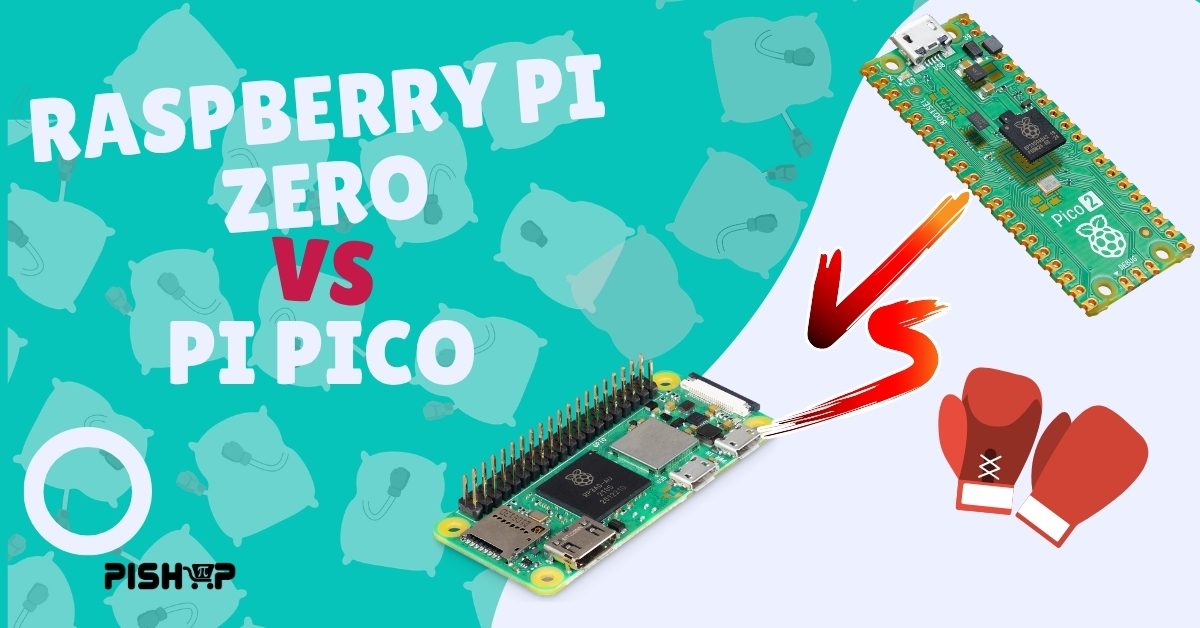
Raspberry Pi Zero vs. Pi Pico
Beginner, PiShop, Platforms, Raspberry Pi, Raspberry Pi Pico, Resources, Skills, Tutorial beginner, microcontroller, pico, raspberry pi, raspberry pi pico, raspberry pi zero, SBC, Tech, zero 0
Raspberry Pi Boards are known for their small footprint but there are 2 members of their family that are experts at squeezing into tight spaces, the Raspberry Pi Zero 2W and the Raspberry PI Pico 2, but don’t be fooled. These boards are entirely different beasts that you’ll different techniques to wrangle.
Here’s a breakdown to help you pick the right board for your next build.
The Fundamental Difference: Microprocessor vs. Microcontroller
Before looking at specs, the most important distinction comes down to operating systems:
Raspberry Pi Zero 2 W is a Single-Board Computer (SBC): It runs a full Linux operating system (Raspberry Pi OS). It requires a microSD card, has video output (mini-HDMI), supports USB peripherals like mice and keyboards, and runs Linux applications.
Raspberry Pi Pico is a Microcontroller: It does not run an operating system. Instead, it boots instantly to execute a single piece of code (written in MicroPython, C/C++, or CircuitPython) stored directly on its internal flash memory.
Comparisson Matrix
| Feature | Raspberry Pi Zero 2 W | Raspberry Pi Pico / Pico W |
| Board Type | Single-Board Computer (SBC) | Microcontroller |
| Boot Time | 15–30 seconds (Linux boot) | Instant (< 1 second) |
| Power Consumption | ~100–250 mA at idle | Ultra-low (a few mA; deep sleep mode) |
| Storage | External MicroSD Card required | 2MB Onboard Flash |
| Connectivity | Wi-Fi 4 & Bluetooth 4.2 | Wi-Fi 4 & Bluetooth 5.2 (Pico W model only) |
| Video Output | Mini-HDMI | None (Requires custom hardware) |
| Primary Use | Media servers, emulation, AI vision, complex logic | Sensors, low-power logging, fast motor control, HID devices |
A fantastic video about the older version of the aforementioned boards but still a viable video if you’re a more visual learner!
When to Choose the Raspberry Pi Pico
Choose the Pico or Pico W when your project needs to do one or two real-time hardware tasks cleanly and efficiently.
Battery-Powered & Solar Projects: The Pico uses very little power and offers true low-power sleep modes, making it ideal for remote sensors or outdoor tracking.
Instant-On Devices: If you flip a switch and need your device working within milliseconds (e.g., an alarm system or a digital measuring tape), the Pico is the clear winner.
Precision Hardware Timing: Because there’s no OS managing background tasks, code timing on the Pico is microsecond-accurate, perfect for controlling LED strips or reading high-frequency encoders.
When to Choose the Raspberry Pi Zero 2 W
Choose the Zero 2 W when you need processing power, graphical output, or full networking stacks.
Display-Heavy Projects: If you want to drive a standard HDMI monitor, run a retro gaming emulator, or host a local web server interface, you need the Zero 2 W.
USB Host Tasks: Connecting USB webcams, hard drives, or Wi-Fi dongles is seamless on a Linux system.
Complex Software & Libraries: If your code relies on heavy Python packages like OpenCV (for computer vision), Node.js, or complex database software, the Zero’s quad-core CPU is necessary.
Conclusion
There we have it. a simple and precise difference between the two. In my opinion out of the entire family of Raspberry Pi boards these 2 are definitely my favorite’s for both their functionality and footprint!
Have you every used either of these boards? What projects have you used them for and how cramped are they currently living?