Pushing Pixels on a Pico: A Graphics Playground on the Pico 2
News, News & Feeds 3d printing, pico, raspberry pi, raspberry pi pico, Tech 0
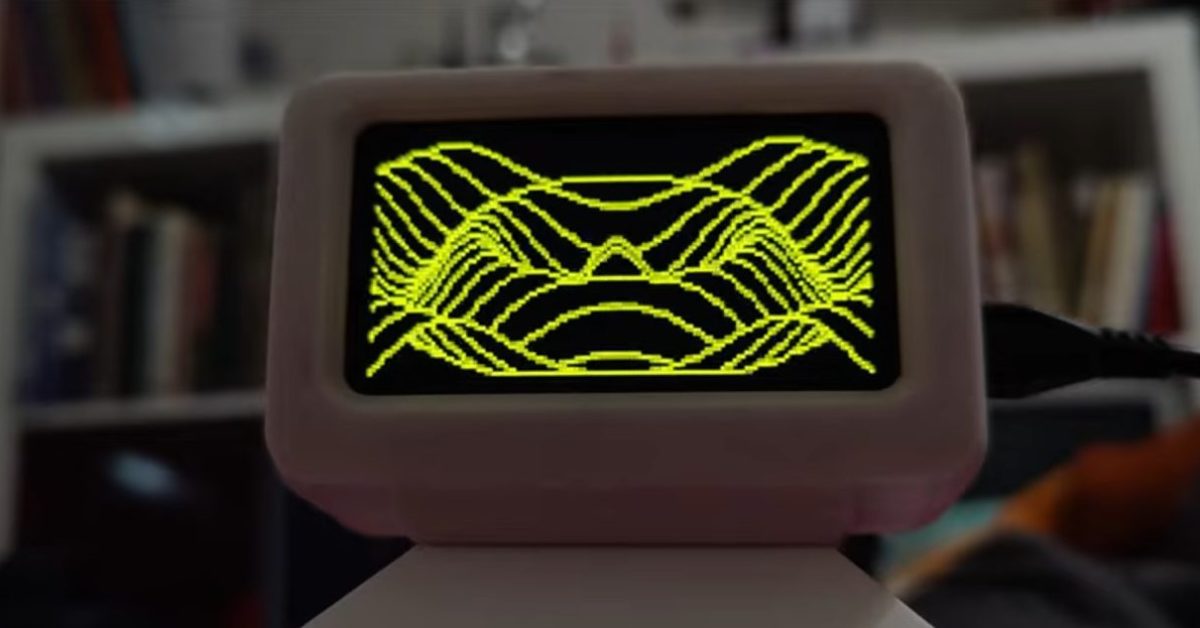
A recent Reddit post by u/chrismofer showing off graphics demos running on the Raspberry Pi Pico 2 microcontroller stopped me in my tracks, it’s exactly the kind of delightful, unexpected engineering we love in the maker scene, where tiny hardware does surprisingly big things.
What They Displayed (and Why It’s Tantilising)
At first glance, a Pico 2 blinking LEDs might seem par for the course, but this project pushes the board into full graphical output, showing us smooth demos and visual effects you’d normally associate with more capable embedded platforms or even retro consoles.
Using clever coding and direct control of the Pico 2’s hardware capabilities (including the PIO state machines and framebuffer tricks), u/chrismofer achieved fluid graphics running from a board that fits comfortably in your pocket. From waveforms to sprite-style animations, the Pico 2 becomes a tiny graphics engine—showing off both the chip’s under-the-hood power and what skilled makers can pull out of it.
What’s genius here isn’t just “look what it can do,” but the way the software wrings every last drop of performance out of this microcontroller, proving that with clever thinking, you don’t need big silicon to make engaging visuals.
The Pico 2 is fast becoming the Swiss Army knife of microcontrollers, and these graphics demos are a perfect example of that.
There’s a delightful contrast here between expectation and reality. When you think “microcontroller,” most people imagine blinking lights, simple sensor reading, or maybe basic UI on a small display. But watching these demos, with smooth motion and graphical complexity, feels like unlocking a hidden tier of capability. It’s the kind of project that reminds you why makers tinker: to defy preconceived limits of hardware.
What's Next?
What if the Pico 2 could drive a handheld game console? Or act as a display engine for sensor data with fun animations? With community contributions and shared libraries, this could evolve into a mini retro-graphics ecosystem for Pico users everywhere.
Whether you’re just starting with microcontrollers or you’ve been in the game for years, this project proves one thing: you don’t need giant GPUs to make graphics that delight—and with the Pico 2, the only limit might be your imagination.
If you enjoy these projects or PiShops own weekly projects then make sure to check out the rest of our blog and if you found it really interesting please don’t forget to share it with somebody who might also enjoy it!