
5 DietPi tools that give other Raspberry Pi distros a run for their money
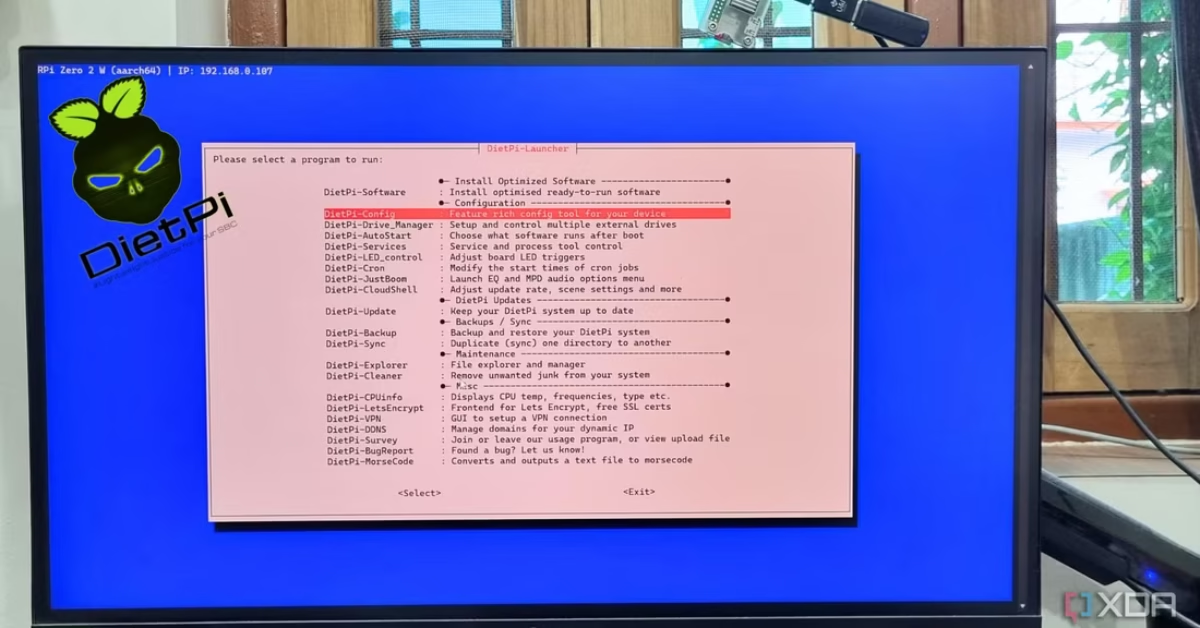
Are you a Raspberry Pi user looking for a new operating system? DietPi might be the solution you’ve been waiting for. This distro is gaining popularity thanks to a suite of five powerful tools that simplify common tasks and make terminal work a breeze. From managing your storage drives and creating automatic backups to easily installing your favorite applications, these tools give DietPi a competitive edge.
The five key tools are:
- Drive Manager: This tool allows for easy management of storage drives, including mounting, renaming, benchmarking, and creating persistent drive mounts.
- Backup and restore: This utility provides a simple way to create scheduled, full-system backups without needing to use terminal commands.
- Explorer: A simple command-line file explorer that streamlines file operations like copying, pasting, and managing permissions.
- Config: This tool offers system configuration utilities, with a particularly useful network tool for scanning available Wi-Fi networks.
- Software: This utility simplifies app management by providing pre-configured packages for popular Raspberry Pi applications, making complex installations a one-step process.
Click the link below to read the full article and discover how these five tools are giving other Raspberry Pi distros a run for their money.
What you’ll need to test this out:
Read the full article at XDA Developers
Originally published on xda-developers.com by Abhishek Kumar Mishra on 09/08/2025.
Disclaimer: The content in this post includes excerpts from other blogs and websites. Full credit for the original work goes to the respective authors and publications. This content is shared here for informational purposes only, to give our customers direct insight on where to purchase the mentioned items, and all rights remain with the original creators.